

Best Poker Tools & Software 2026: Honest Reviews for Cash, MTT & PLO
Modern poker tools have become essential for every serious online poker player. Today’s tools allow you to study GTO strategies, analyse hand histories, track performance and make accurate, data-driven decisions.
Instead of guessing whether you played a hand correctly, solvers, HUDs and equity calculators break your game down with mathematical precision.
This helps you learn faster, fix leaks and develop balanced strategies that are much harder for opponents to exploit.

In this guide, we break down the most important categories. These include solvers, HUDs, multi-tabling helpers, ICM tools and more. We also review the top platforms.
This will help you find the poker tool software that really helps your game. It will also help you determine which are a waste of time.
Which Poker Tool Do You Actually Need?
Not every poker tool is suitable for every player. The right stack depends on the format, volume, and bankroll.
A beginner would waste money on PioSolver. A PLO specialist will waste time using tools designed only for Hold’em. Use this table to find your starting point.
| Player Type | Recommended Tool Stack |
|---|---|
| Beginner | Equilab (free) + PokerStove (free) + GTO Wizard Starter |
| Cash Game Grinder | PokerTracker 4 or HM3 + GTO Wizard or PIO Solver + Flopzilla + Table Ninja II or Jurojin |
| MTT/SNG Specialist | ICMIZER + PokerTracker 4 + GTO Wizard + FreeBetRange |
| PLO Player | MonkerSolver + Hand2Note + OmahaPro |
| High-Volume Multi-Tabler | Jurojin or Table Ninja II + Hand2Note + GTO Wizard |
These tools are most powerful when used together. Tracker data reveals your weakest positions. A solver study provides the solution.
Equity calculators validate your Solver outputs in real time. Each tool informs the next. A cash grinder who uses only Flopzilla and no tracker is missing out on half of the tools’ value.
Tournament players who ignore ICM get punished in bubble spots. You can also use SharkScope to research opponents’ tournament histories and track your own results across platforms.
For more information, see our guides on poker strategy fundamentals, tournament poker strategy and PLO strategy.
Types of Poker Tools and Software
Poker tools help players to study and analyse their game, play multiple tables simultaneously, and make sharper strategic decisions.
Each category solves a different problem. Most winning players now combine several tools. These include a tracker, solver and equity calculator. They use these to develop a complete study workflow.
Below is a breakdown of the major software types used in online poker, followed by detailed reviews of the best products in each category.
Poker Tool Categories Overview
| Software Type | Primary Function |
|---|---|
| GTO Solvers & Trainers | Simulate game-theory optimal decisions, analyze ranges, and run custom trees |
| Tracking Software & HUDs | Track hand histories, display real-time stats on opponents |
| Equity & Odds Calculators | Calculate hand equity vs ranges, pot odds, and board textures |
| Multi-tabling & Table Management | Organize tables, set hotkeys, and automate betting actions |
| Tournament & ICM Tools | Evaluate push/fold spots and ICM situations for SNGs & MTTs |
| AI Coaching & Training | Play against AI opponents, get adaptive feedback, and drill decisions |
| Preflop Charts & Range Trainers | Study and memorize GTO preflop ranges across formats |
| Bankroll & Variance Tools | Simulate variance, calculate bankroll needs, track rakeback |
Poker Tools: GTO Solvers and Training Software
GTO solvers simulate game theory optimal strategies and show you how a perfectly balanced player would navigate a hand across multiple bet sizes, ranges, and board textures.
Instead of relying on your gut, solvers provide you with a clear mathematical explanation of what to bet, how often, and which combos to go for.
In today’s online environment, even low-stakes players are studying solver outputs. If you’re not using one, you’re simply leaving EV on the table.
But not all solvers work the same, and choosing the right one depends on your goals, technical ability, and time available for study.
- Run simulations for cash, tournaments and HU formats
- Build ranges for specific positions and stack depths
- Explore full game trees with multiple bet sizes
- Compare EV differences between strategies
- Train decision-making in real-time with drills
- Analyse mistakes using automated feedback tools
- Most importantly, solvers show why a certain action works: the frequencies, combo distribution, equity shifts and blockers at play.
- Pre-Solved Databases vs Custom Solver Runs
Top GTO Solvers & Training Platforms
Quality GTO Solvers and Training Platforms form the backbone of modern poker study. These poker tools empower players with solver-precise strategies, interactive drills, and hand analysis to master unexploitable play across stakes and formats.
GTO Wizard
When it comes to my personal preference, GTO Wizard is at the center of my poker toolset. GTO Wizard gives me instant access to high-accuracy solver outputs, structured training modes, and detailed hand analysis in one place.

Pre-solved solvers (like GTO Wizard) compute millions of scenarios ahead of time. This means you get instant results with no CPU strain.
Custom-run solvers (like PIO Solver and GTO+) require you to run your own solves locally. This gives more control over trees and parameters, but demands strong hardware and more time.
- Instant
- Pre-built trees
- Monthly Subscription: $39-120 (Starter to Elite Packages)
- Custom Reports & Solutions
PIO Solver
PIO Solver is a cornerstone for thousands of serious poker players worldwide. Many players I know swear by PIO Solver’s accuracy in solving complex game trees, node-locking for custom opponent modeling, and precise EV calculations.

PIO Solver is the best solver available. It is powerful, and precise, and you can customize it however you like. You can define every part of the game tree: bet sizes, future actions, blockers, sizings, rake structures, and more. But its interface is technical, and solving requires high CPU power.
- Deep analysis tools
- Trusted by professionals and coaches
- One off payment (€450-800)
- Flop/turn/river spot solver
GTO+
GTO+ is a reliable core tool for many poker students and mid-to-high stakes grinders who prioritize its fully offline operation.

A lighter, more efficient alternative to PIO, GTO+ delivers custom solving with a friendlier interface and surprisingly fast run-times. It integrates well with tools like Flopzilla Pro, making it a favorite among serious grinders who don’t want a subscription.
- Internal analysis tools
- Advanced tree builder
- Convergence to a 0% Nash distance
- Annual License Fee: $75 (2nd license $40)
PokerSnowie
PokerSnowie is an AI-powered poker trainer, not a traditional solver. It uses a neural network trained on billions of hands to play comprehensive no-limit poker.
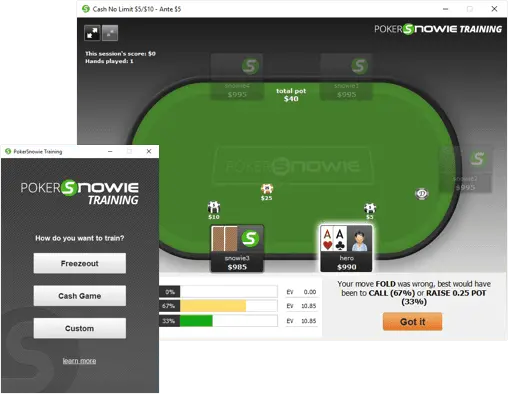
Best for players who want to practice decision-making against an intelligent opponent rather than study abstract theory. The AI adapts to your tendencies, creating game-like pressure during training sessions. Available on PC, Mac, and mobile.
- AI opponent for live decision training
- Hand history import & error reporting
- Preflop Advisor with position-based ranges
- 10-day free trial available
- Pricing: $99/year (Intermediate) or $229.95/year (Pro)
Simple Postflop
Simple Postflop is a user-friendly GTO solver that can be used for both preflop and postflop analysis.

It’s less customizable than PIO, but it’s faster and more approachable. The interface is cleaner, the barrier to entry is lower, and you can start solving spots within minutes of installation. It’s a good stepping stone before committing to a full PIO license.
- Preflop and postflop GTO solving
- Nash equilibrium for heads-up spots
- Hardware-adaptive algorithms
- Free turn & river calculations
- Premium preflop solves via point system
MonkerSolver
MonkerSolver is the only solver that handles multiway pots with three or more players. Supporting both NL Hold’em and Pot-Limit Omaha, it is essential for PLO cash game players and anyone studying multiway dynamics.
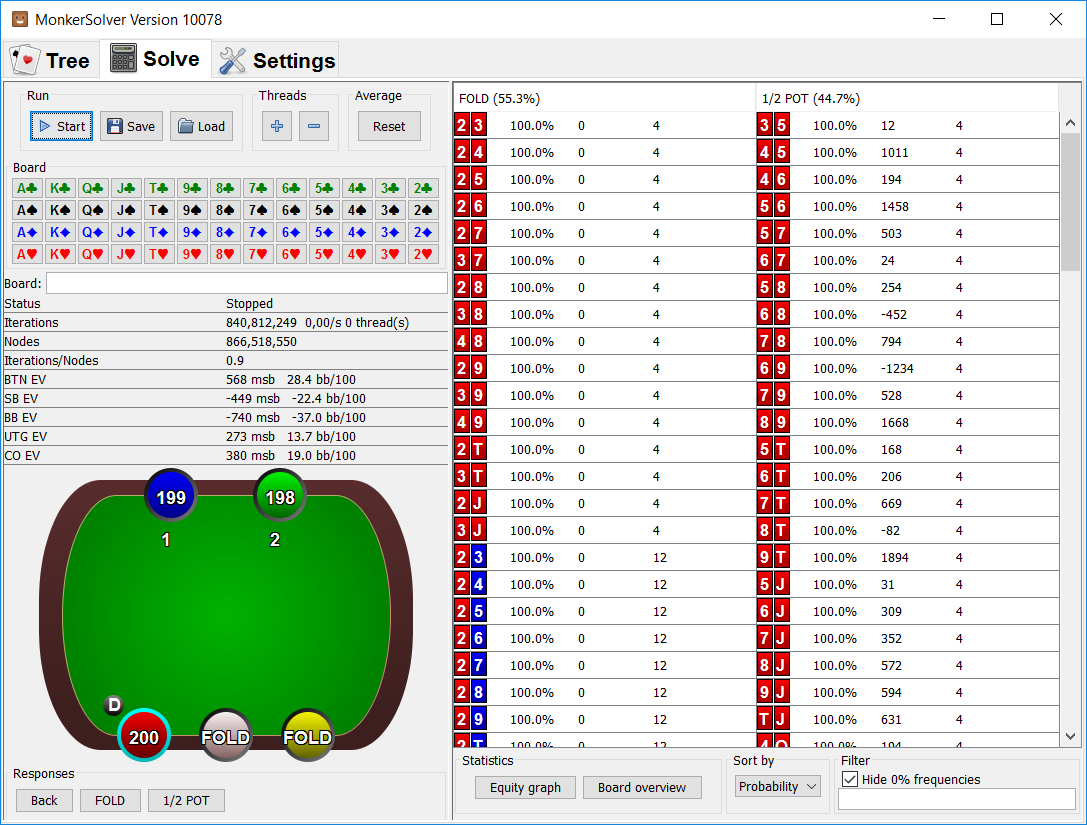
The industry standard for PLO solving. Hardware-intensive: large PLO trees often demand 64 GB+ RAM. Not for casual users. But for serious PLO and multiway students, nothing else comes close. For PLO-specific strategy, see our Pot-Limit Omaha strategy guide.
- Multiway pot solving (3+ players)
- NL Hold'em and PLO support
- One-time licence: ~€499 (Standard) to ~€999 (Pro)
- Industry standard for PLO
- Requires 64GB+ RAM for large trees
Understanding GTO Before Using a Solver
Solvers are very effective, but only if you understand the basics. Before diving in, players should have a grasp of:
- Range vs range thinking
- Blockers and combo removal
- Bet size selection
- Equity realisation
- EV differences between actions
Without the proper foundation, solver outputs can be overwhelming or misapplied. However, with the right foundation, solvers become the most valuable study tool you can own.
GTO Wizard vs PIO Solver vs GTO+: Head-to-Head
The three most popular GTO solvers each serve a different need. GTO Wizard offers simplified access via cloud-based pre-solved trees and requires no hardware.
PIO Solver offers maximum control for in-depth custom research, but it requires substantial computing power. GTO+ strikes a balance with solid customization at an affordable annual price.
| Feature | GTO Wizard | PIO Solver | GTO+ |
|---|---|---|---|
| Price Model | Monthly ($39-120) | One-time (EUR 450-800) | Annual ($75) |
| Solve Type | Pre-solved (cloud) | Custom (local) | Custom (local) |
| Setup Required | None (browser-based) | Install + hardware | Install |
| Hardware Demands | None | High (8+ cores, 16 GB+ RAM) | Moderate |
| Game Tree Control | Limited (pre-built) | Full customisation | Good customisation |
| Node Locking | Yes | Yes (industry-leading) | Yes |
| Training Mode | Built-in drills & quizzes | No | No |
| Hand Analysis | Yes (paste hand histories) | Manual setup | Manual setup |
| PLO Support | Yes | Limited | No |
| MTT/ICM Support | Yes | No | No |
| Best For | Daily study & quick analysis | Deep postflop research | Budget-friendly custom solves |
Without this, solver outputs can feel overwhelming or misapplied. With the right foundation, however, solvers become the most valuable study tool you can own.
Tracking & HUD Software
Poker tracking software is one of the biggest edges available to online players. These tools record every hand you play, analyze your long-term performance, and display real-time opponent statistics through a HUD (heads-up display).
For multi-tablers, professionals, and anyone serious about improving, a quality tracker is crucial.
What Tracking Software & HUDs Do
Tracking programs work by importing hand histories from your poker client and presenting them in a structured, analytical format. A typical tracker provides:
- Real-time HUD displaying VPIP, PFR, 3-bet, fold-to-c-bet.
- Player profiling tools for analysing tendencies
- Leak detection reports
- Hand replayers
- Positional stats
- Session analysis and win-rate tracking
- Integration with ICM tools & solvers
Top Tracking & HUD Software Poker Tools
Tracking and HUD software poker tools are real-time data analyzers. The best versions, like PokerTracker, Hold’em Manager, and Hand2Note, import hand histories to display opponent statistics (e.g., VPIP, PFR, aggression) via on-table overlays.
Unlike solvers that build optimal ranges offline, these tools track win rates, leaks, and tendencies during sessions to enable dynamic adjustments against real opponents.
I pair them with GTO Solvers to benchmark my solver study against live data, spot exploitable deviations, and refine my game.
PokerTracker 4
PokerTracker 4 is my first choice in a tracking and HUD setup. It has highly customizable reports and overlays, making it easy to drill down into leaks by position, stack depth, and situation. We did some research and reviewed PokerTracker 4 for you.
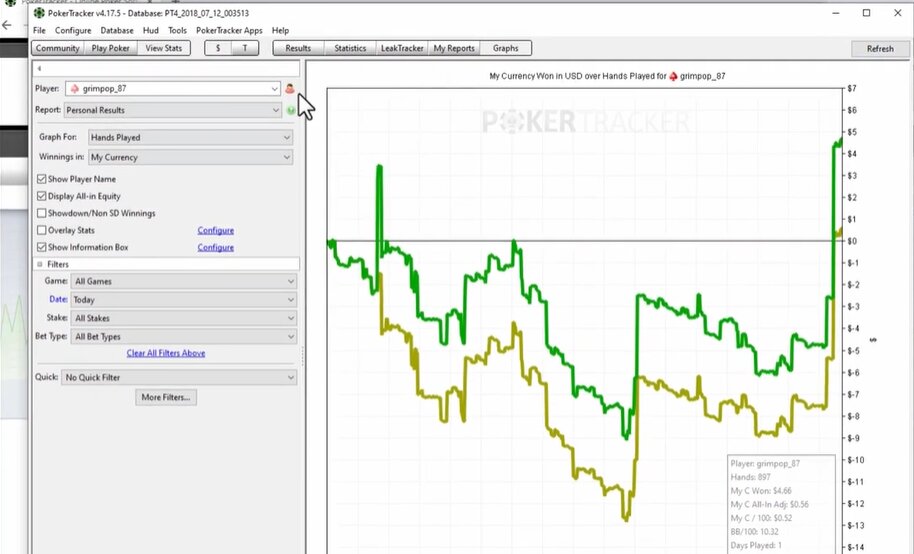
One of the most established poker tracking programs, PokerTracker 4 (PT4), offers a deep and reliable HUD system, powerful filters, and a giant range of custom reports. Many grinders consider it the gold standard for long-term player development.
- Advanced Hand Range Modelling
- Interactive Reports, Graphs & Filters
- LeakTracker Feature
- Annual License: $64.99-159.99 (Hold'em, Omaha or Combo Options)
Holdem Manager 3 (HM3)
Hold’em Manager 3 (HM3) is the first choice for many players, particularly those grinding high-volume online sessions. Often mentioned is its superior speed in handling massive databases.
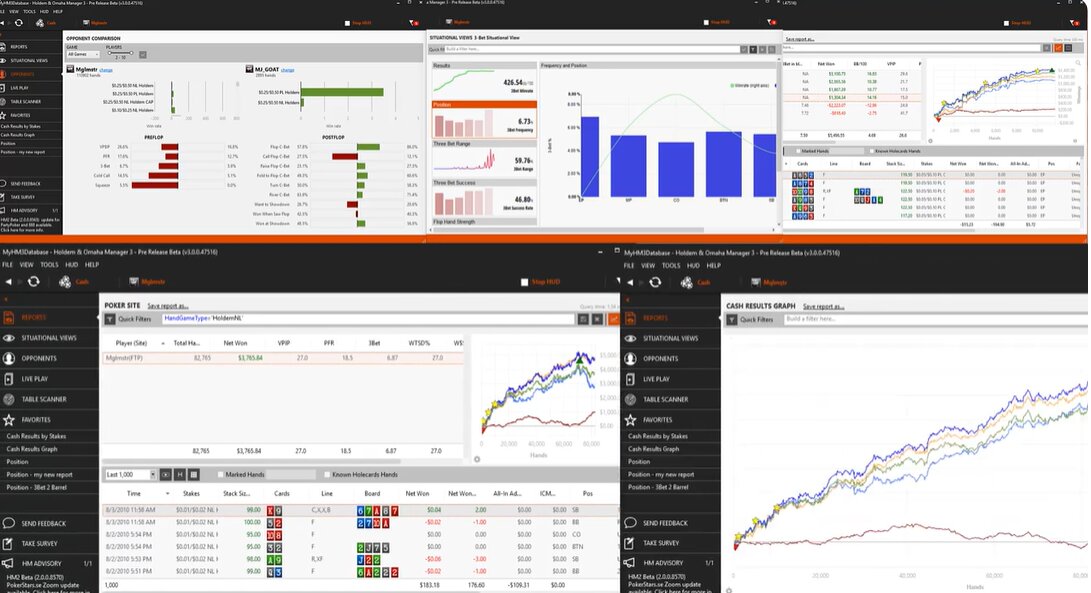
The modern successor to HM2, Holdem Manager 3 features a more polished interface, strong HUD customization, and seamless integration with tools like Table Ninja II and NoteCaddy.
- Live Play View
- Mini-view hand analyzer in one dashboard
- Graphical HUD Overlay
- Annual Cost: $60-160
Hand2Note
Hand2Note is the go-to choice for plenty of serious regs who want an ultra-powerful, modern HUD with dynamic, population- and player-specific stats. Read our full Hand2Note 4 review for the 18-month hands-on test, pricing breakdown, and stake-level ROI math.
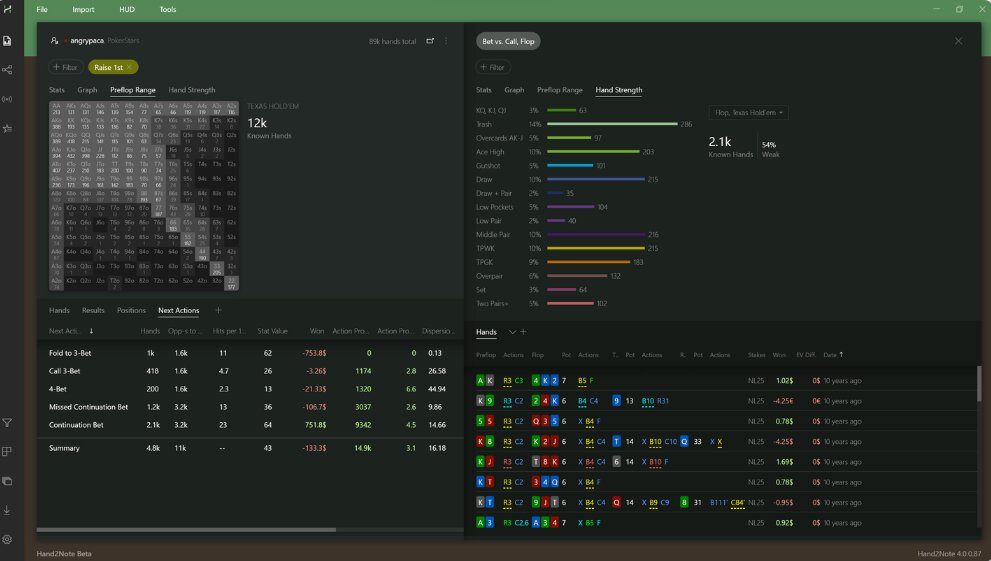
A favorite among high-stakes players, Hand2Note offers incredibly detailed stats and Smart Reports, which automatically detect patterns in your opponents’ play.
- Drag and Drop Hands into Notes
- HUD Editor
- Advanced, Smart Reports
- Dynamic HUD
- Annual fee: $15.99-61.25
DriveHUD 2
DriveHUD 2 has a loyal group of diehard fans. DriveHUD2 makes complex data feel easy to understand at a glance.
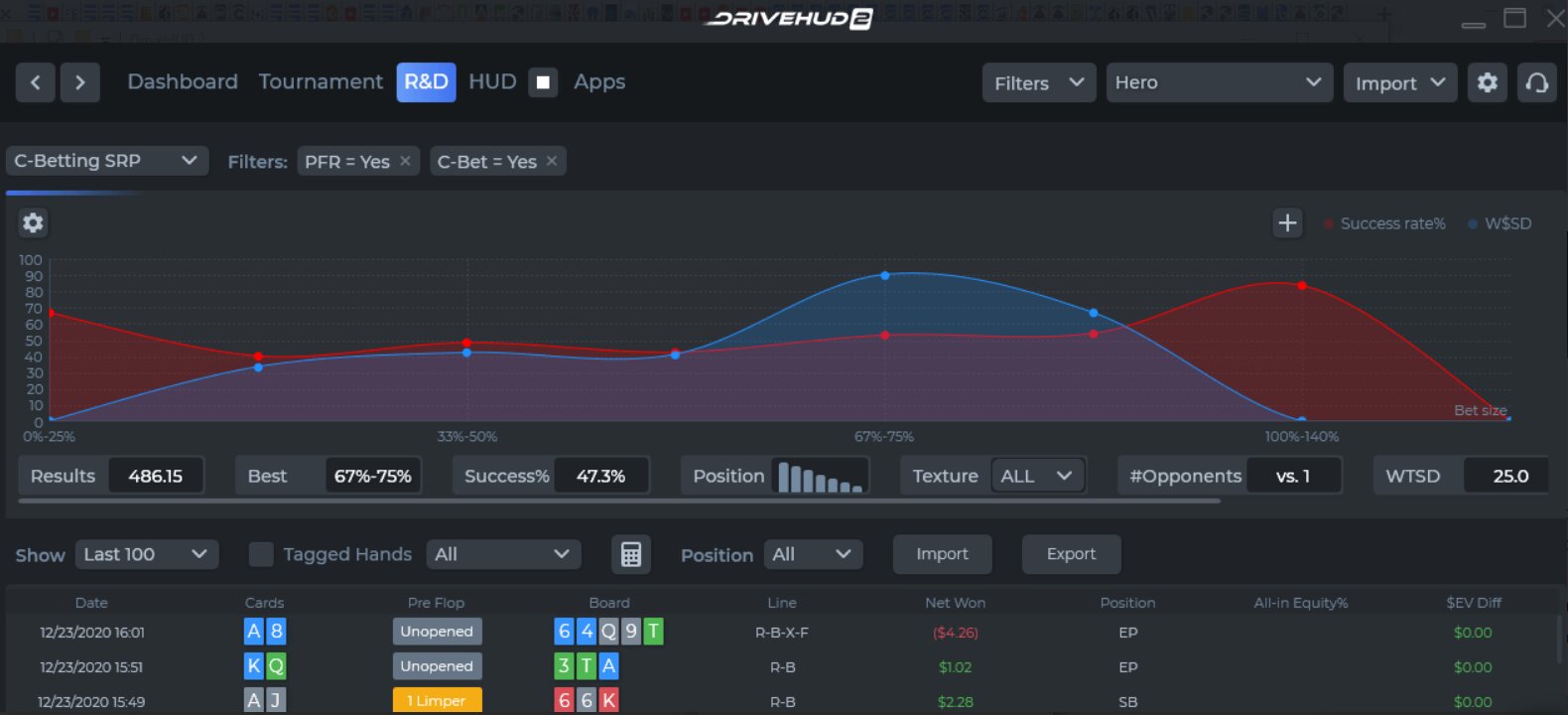
A more modern tracker with a clean interface, DriveHUD 2 integrates HUD tracking, range tools, and hand replay in one package. It’s user-friendly, powerful, and popular with mid-stakes grinders.
- Custom Stats
- Advanced, Dynamic HUDS
- Hand Chart Deviations Reports
- Annual License: $25.99-79.99
Poker Copilot
Poker Copilot stands out from more complex HUDs by offering a lightweight, Mac-friendly tracker with a simple interface, automatic leak detectors, and easy-to-read charts rather than deep, highly customizable reports and ultra-advanced population tools.
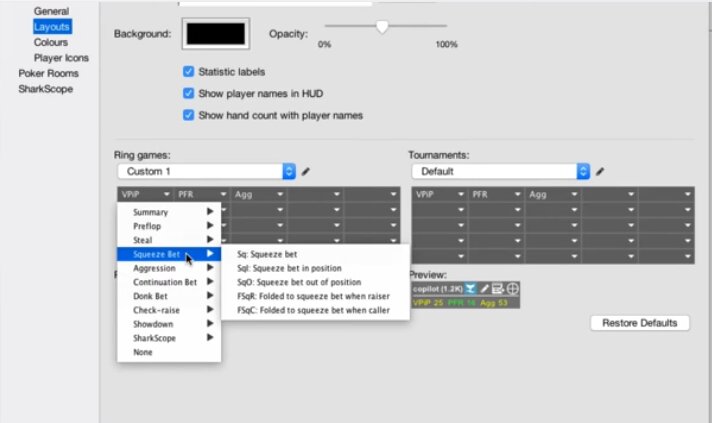
A lightweight tracker with built-in leak detection, excellent for Mac users. Ideal for casual or mid-stakes players who want an easy-to-use tracker that runs smoothly on macOS.
- Bankroll Chart
- Leak Detector
- Fat Hand Replay
- One-time payment: $99 ($39 Upgrade Option)
Why Poker Tracking Software Matters
Tracking and HUD tools help you:
- Understand how your opponents actually play, not how you think they play
- Make profitable adjustments in real time
- Measure your own skill progression
- Fix long-term leaks that costs thousands of dollars
- Analyse every session with precision
- If you take online poker seriously, using a good tracker has become a baseline requirement.
PokerTracker 4 vs Holdem Manager 3 vs Hand2Note: Head-to-Head
The top three poker trackers are a matter of playstyle and budget. PokerTracker 4 offers reliable, all-around performance.
Holdem Manager 3 is the leader in database speed and multi-table support. Hand2Note stands out for its advanced population analysis and exploit-focused leak detection.
| Feature | PokerTracker 4 | Holdem Manager 3 | Hand2Note |
|---|---|---|---|
| Annual Price | $64.99-159.99 | $60-160 | $15.99-61.25 |
| Mac Support | No (Wine workaround) | No | No |
| HUD Customisation | Excellent | Excellent | Best in class |
| Database Speed | Very good | Excellent (fastest) | Good |
| Population Analysis | Basic | Basic | Advanced (standout feature) |
| Leak Detection | LeakTracker built-in | Via NoteCaddy add-on | Smart Reports |
| Multi-tabling Support | Strong | Strongest | Good |
| Learning Curve | Moderate | Moderate | Steep |
| Best For | All-round tracking & reporting | High-volume multi-tablers | Exploit-focused regs |
| Tournament Support | Strong | Very Strong (ICM integration) | Moderate |
Basic Poker Tools: Equity & Odds Calculators
Equity and odds calculators are essential tools for understanding the mathematical foundation of poker.
Whether you’re reviewing hands, studying ranges, or comparing how different board textures interact with your opponent’s range, equity calculators give you objective, data-driven insight into every decision.
While most modern studies use special computer programs, equity calculators are still essential, especially for people who are just starting out. They’re quick, easy to use, and great for getting to know how to work out the odds of winning.
What Equity Calculators Do:
- Compare hand vs. hand, hand vs. range, or range vs. range
- Analyse how equity shifts across flop/turn/river cards
- Understand which hands are profitable to call, bet, or fold
- Evaluate pot odds, required equity and expected value
- Visualise how board textures hit each player’s range
These tools train your intuition and give you the mathematical foundation required to progress into full GTO study.
Best Equity & Odds Calculators
Most modern equity and range calculators offer a similar core feature set, but the key differences in interface, speed, range handling, and integration determine how smoothly they plug into a serious study workflow.
For a free, non-download option, you can use our in-house VIP Grinders Equity and Odds calculators. We recommend using our calculators and the below tools and comparing their efficiency.
Equilab
Equilab is a staple because it makes range vs. range equity work fast and intuitive, and when it is seamlessly integrated into an overall toolkit alongside solvers and trackers, it becomes effortless to sanity-check assumptions, build preflop charts, and test postflop spots without breaking study flow.
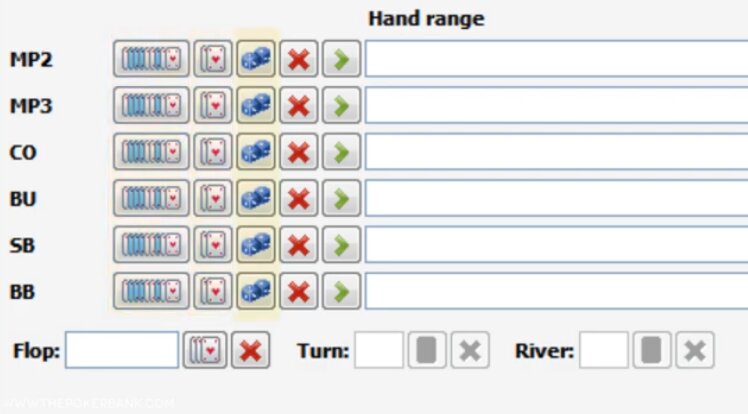
The most popular and widely used free poker equity calculator. Ideal for beginners and intermediate players, yet flexible enough for advanced range work.
- Free
- Hand and range equity calculations
- Easy integration with other tools
- Board texture analysis
Power Equilab
Power Equilab goes far beyond basic equity checks, letting you work with weighted ranges, sub-ranges, heatmaps, and detailed equity graphs so you can understand how that equity is distributed across boards and runouts.
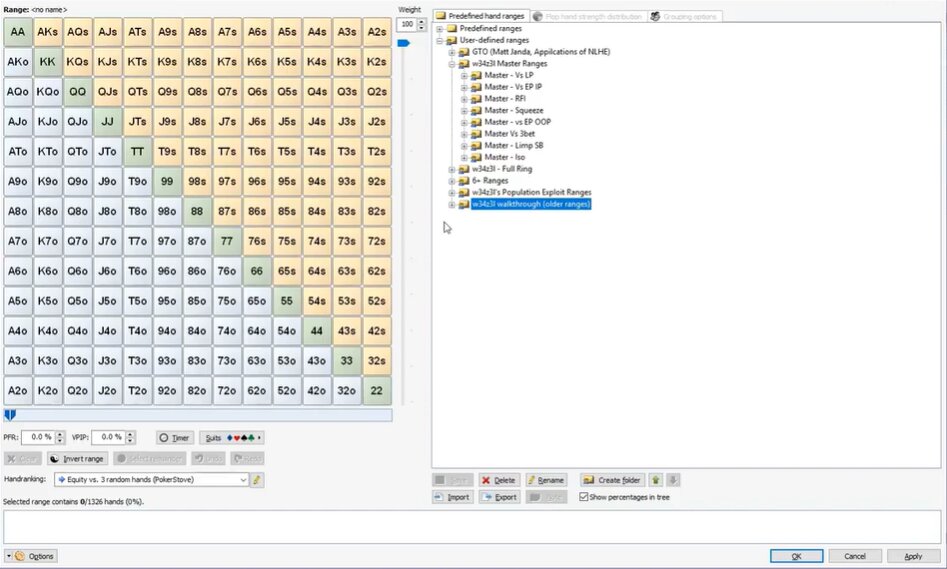
The premium evolution of Equilab, offering deeper range breakdowns and more advanced features.
- Weighted & hierarchic grouped ranges
- Annual Fee: $41.95
- 29 hand rankings pre-defined
- Equity Trainer in-built
Flopzilla
Flopzilla is a go-to calculator for serious study because it lets you visualize exactly how specific ranges hit different boards, breaking things down into made hands, draws, and combo counts.
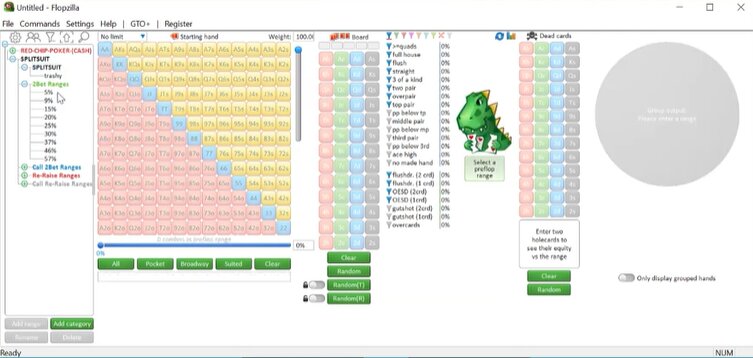
A must-have for players who want to understand how ranges interact with specific boards. Unlike pure equity calculators, Flopzilla shows you which range of hands is best. It does this by looking at the number of top pairs, draws and two pairs in each range..
- Quick scenario modelling
- 2Frequency distribution (TP, OESD, FD, sets, etc.)
- Weighted ranges
- Lifetime license: $25
Why Equity Calculator Poker Tools Matter
Equity calculators help players:
- Internalise pot odds and required equity
- Build accurate preflop and postflop ranges
- Understand how boards affect each side’s range
- Prepare for deeper GTO solver work
- Make lower-variance, mathematically sound decisions
- They’re essential not just for study, but also for developing a mindset rooted in math rather than guesswork.
Multi-Tabling & Table Management Poker Tools
When you move beyond one or two online poker tables, efficiency becomes a skill of its own.
Multi-tabling and table management software helps you play more hands per hour, reduce misclicks, and maintain focus, keeping your decision-making sharp even when juggling six, twelve, or more tables.
At mid-high stakes, using these tools correctly can directly translate into higher hourly winrates. These programs don’t make decisions for you; they make sure your decisions happen quickly, cleanly, and without friction.
What Multi-Tabling Software Typically Offers
- Hotkeys: Fast betting, folding, raising, reloading and timebank activation
- Table management: Automatically reposition or stack tables exactly how you want
- Bet-sizing tools: Pre-set percentage bets for flop/turn/river
- Alerts and notifications: Avoid timeouts, missed blinds or important action
- Randomized bet timers: Useful for balancing timing tells
- Multi-room compatibility: Run the same setup across your different poker sites
Although these tools only save a few seconds per orbit, those seconds add up across thousands of hands per session.
Top Multi-Tabling & Table Management Poker Tools
Good multi-tabling & table management poker tools are essential for high-volume grinders.
The best multi tabling poker tools offer seamless snapping, tiling, hotkeys, and lobby filters to handle 20+ tables without chaos, turning sessions into efficient, profitable volume machines.
Table Ninja II
Table Ninja II has been my go-to tool for a long time, ever since I converted to multi-tabling sessions.
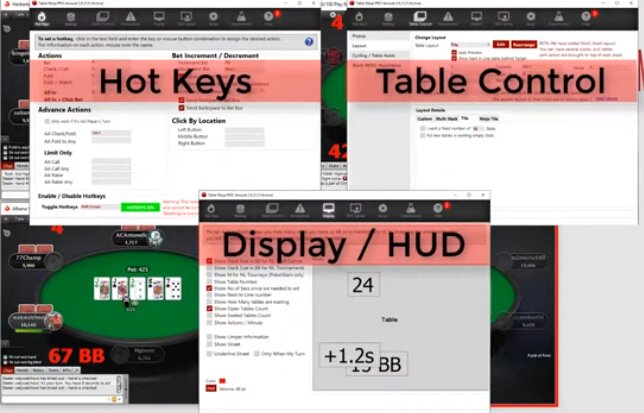
Still one of the most popular HUD-adjacent utilities in online poker, now compatible with multiple rooms.
- Bet sizing shortcuts (percentage sliders, pot-based)
- Automatic table popup on action
- SNG & Spin and Go Sensei
- Cost: Monthly - $19.99 / Annual - $150
Jurojin
Jurojin is a favorite among multi-table purists, thanks to its laser-focused design for handling high-volume sessions, customizable hotkeys, and seamless lobby management.
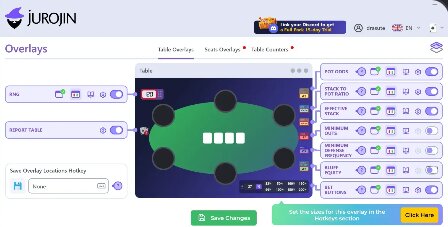
A more modern, user-friendly alternative with excellent layout tools and clean visuals.
- Smart grid layout for tables
- On-screen helpers like stack sizes and action previews
- Cloud profiles for multiple setups
- Pricing: Monthly $7.50 (Low Stakes) - $25 for Full Access Package. Billed Annually.
StackAndTile
StackAndTile is a lesser-known but much-loved option among players who care more about screen organization and focus than flashy extra features.
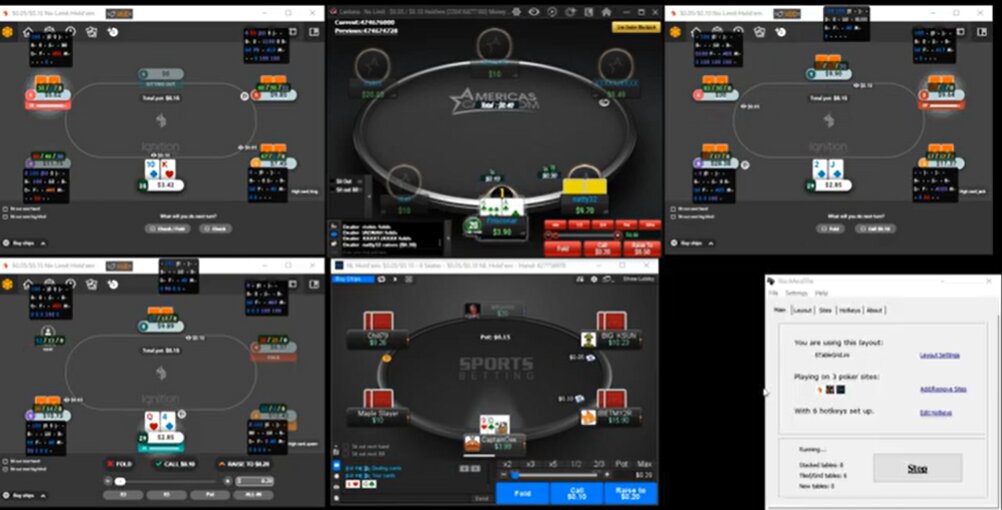
A longtime favorite for table organization across multiple poker rooms. Good for players who want advanced table stacking and action management across many sites, especially if grinding high volume.
- Hotkeys setup for every action
- Seamless Stacking
- Cost: Monthly - $17.95 (Full Version)
Why Multi-Tabling Software Matters
From personal experience, the biggest issue mass-tabling players have isn’t strategy; it’s execution.:
- 1Misclicks
- 2Timing out on marginal decisions
- 3Losing focus because tables are poorly arranged
- 4Accidentally cold-calling a 4-bet because the wrong table popped up
The real benefit isn’t playing more tables, but rather playing with higher clarity and less cognitive load, which means you can make more A-game decisions per hour.
Tournament Poker Tools & ICM Calculators
Tournament poker is different from cash games. Stack sizes fluctuate rapidly. Payout structures create pressure.
Marginal EV decisions become amplified near the bubble and final table. This is where ICM calculators and other tournament tools become essential.
They help you understand:
- 1Push/fold charts
- 2Nash equilibrium ranges
- 3Custom blind structure support
- 4Hand history import
Top ICM and Tournament Tools
ICM and Tournament Tools help convert complex payout structures and stack dynamics into clear, actionable decisions.
At their best, ICM and tournament poker tools turn guesswork in late-game spots into mathematically grounded strategy.
By modeling risk–reward trade-offs, shove/fold ranges, and deal scenarios, they are essential for anyone who takes tournaments seriously and wants long-term, repeatable edges in high-pressure stages.
ICMIZER
Even though tournaments are only a small part of my schedule, playing 5–10 events a month, ICMIZER has been a massive driver of my ROI.
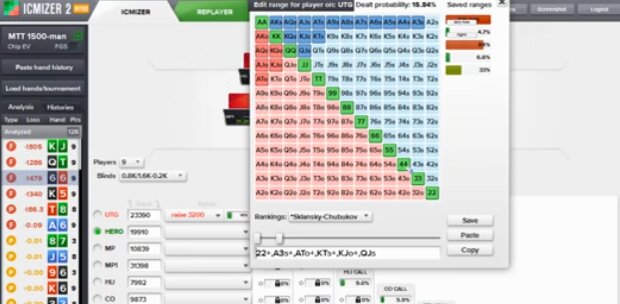
The most widely used tournament tool and arguably the gold standard for ICM analysis.
- Quick Push/Fold Calculations
- Final table ICM EV modelling
- Re-player to review MTT hands
- ICT Trainer Preflop training mode
- Cost: $40-179.88 Annually (Various Packages)
SNG Wizard 2
SNG Wizard 2 is a mainstay for Sit & Go grinders, and has helped many recreational players turn SnGs into a serious study project and real profit source by breaking down push/fold, bubble, and heads-up spots with clear, ICM-based recommendations.
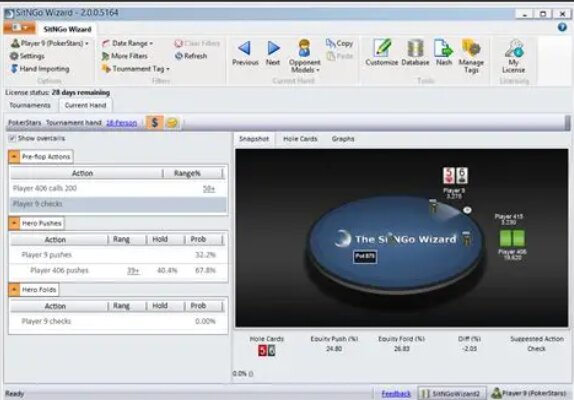
A long-standing favourite among Sit & Go and hyper-turbo players.
- Nash equilibrium ranges
- Custom blind structure support
- Hand history import
- One off payment: $99
OmahaPro
OmahaPro has transformed Pot-Limit Omaha from a high-variance gamble into precise, EV+ tournament play for many players.
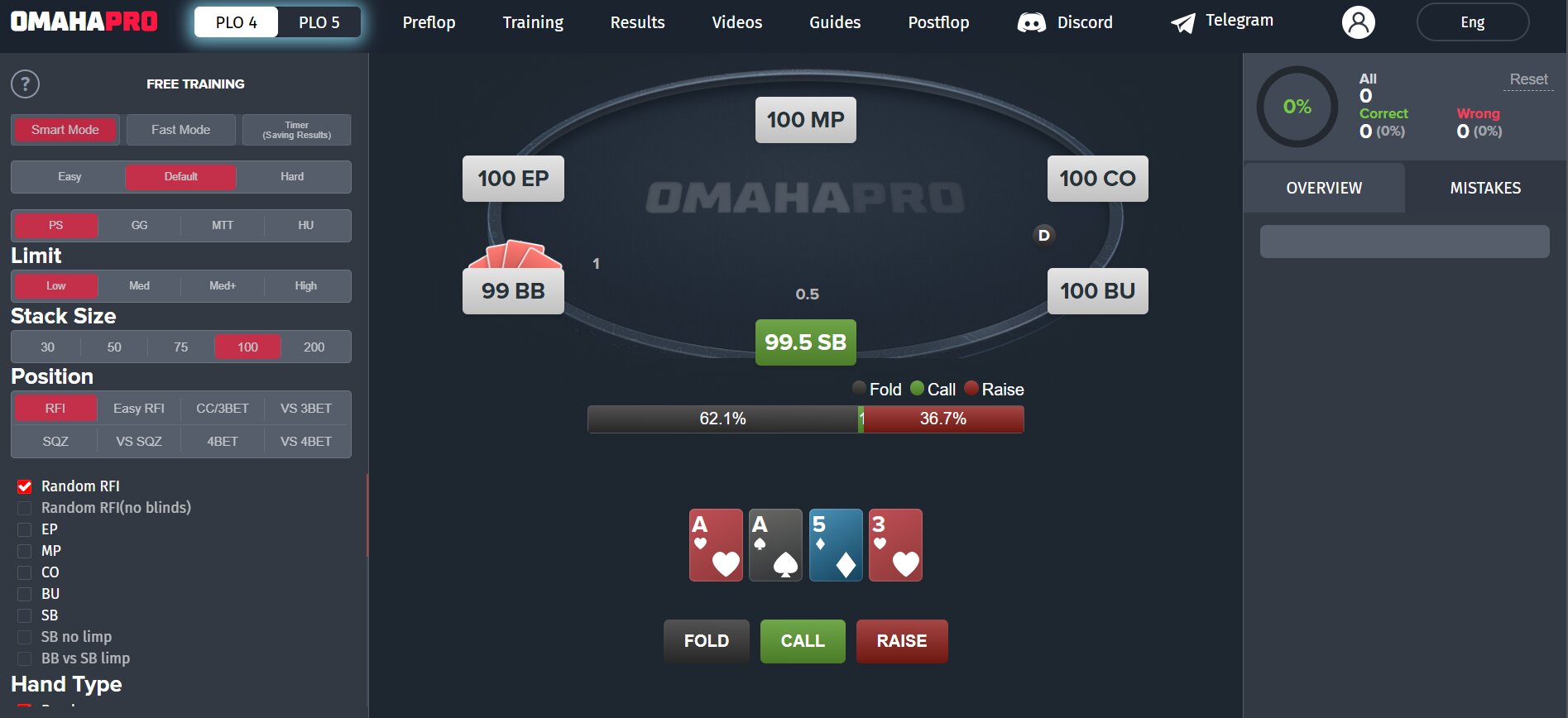
It is focused on PLO and PLO5 tournaments, which are rare in the market. Great for mixed-game or PLO tournament specialists looking for structurally accurate ICM decisions.
- Supports PLO and PLO5 formats
- Practice with real scenarios & track progress
- Cost: $33.75 (Standard Omaha only) - $55 (+PLO5) Monthly
Why Tournament Tools Make a Difference
Having coached MTT players at every level, there’s one pattern that repeats: Most players undervalue ICM pressure and massively over-call in high-leverage spots.
Using ICM tools to review your deep runs will:
- 1Sharpen your endgame
- 2Reduce costly mistakes at final tables
- 3Improve ROI dramatically
- 4Turn near-misses into wins
- 5Help you understand when aggression is printing money (and when it’s suicide)
AI Poker Tools & Coaching Software
AI poker tools are reshaping how players study and train. The distinction is critical: AI coaching and training software are legal and encouraged.
Real-time AI assistance or automated bot play is banned on all major platforms. The tools in this category fall firmly in the legal, ethical zone.
PokerSnowie pioneered the space as the first AI trainer built on a neural network. Newer entrants like PokerOS and Pairrd expand the concept further.
PokerOS adapts its coaching to your play style, identifying leaks specific to your tendencies and adjusting drill difficulty accordingly.
Pairrd combines interactive quizzes with video breakdowns from professional coaches, merging AI instruction with human expertise.
These tools complement rather than replace traditional solvers. A solver shows you the mathematically correct play.
An AI trainer forces you to execute that play under game-like pressure, with feedback loops that sharpen your decision-making under live conditions.
The workflow is straightforward: study the solver output offline, then use an AI tool to drill the decisions under pressure.
This combination builds both theoretical knowledge and practical execution skill. Learn more about how AI is reshaping the industry in our piece on AI trends reshaping the poker industry.
For players who prefer structured video courses over AI-driven feedback, Pokercode offers 700+ lessons from elite coaches like Fedor Holz, covering both MTTs and cash games with an integrated Rangeviewer and hand quizzes.
Preflop Charts, Range Trainers & Bankroll Tools
Preflop Chart Builders & Range Trainers
FreeBetRange is the go-to free resource for GTO preflop ranges across cash games, MTTs, and Spin and Go formats.
The platform provides a library of ready-made ranges from top coaches plus a custom range builder for advanced users.
The trainer supports classic chart drilling and range-drawing modes, forcing you to recall ranges under game conditions rather than just reading them passively. Free basic charts are available; premium ranges from elite coaches unlock with a paid subscription.
Other solid options include RangeConverter and Floptimal (web-based range visualization optimized for tournament play).
Even experienced players benefit from preflop chart mastery. Position, stack depth, and opponent tendencies shift constantly.
Having your default ranges locked in frees mental bandwidth for postflop decisions where the money is actually made.
Bankroll & Variance Management Tools
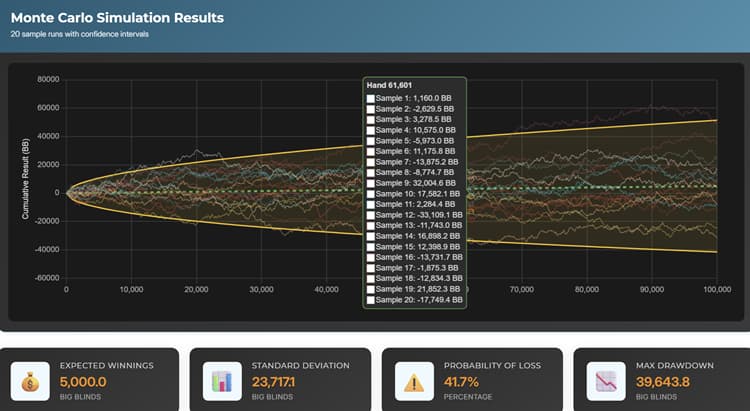
VIP-Grinders offers three critical bankroll tools built for real-world poker: a poker variance simulator, poker bankroll calculator, and rakeback calculator.
The variance simulator shows you how brutal downswings can get at any sample size and win rate. Most players drastically underestimate variance.
You can run well for months, then face a 40-buy-in downswing that has nothing to do with your skill level. The simulator builds realistic expectations and prevents tilt-driven decisions.
For live poker players, Poker Bankroll Tracker (iOS and Android) automates session logging and win-rate tracking across stakes and venues. No more guessing whether you’re crushing or running bad.
Another strong mobile-first option is Pokerbase, a live tournament bankroll tracker that pairs session logging with an in-app staking marketplace, verified profiles, and built-in ICM and equity calculators.
Bankroll management is poker’s most underrated tool. Proper bankroll sizing prevents tilt-driven downgrade spirals and keeps you in the game through inevitable variance.
Use the MTT variance calculator if you play tournaments.
Are Poker Tools Legal? Platform Rules & Compliance Guide
Poker tools for study are universally legal. Solvers, equity calculators, preflop charts, and training software are all legitimate tools that every serious player should use without concern.
Real-time assistance tools and automated bots are banned on every major platform and constitute cheating.
The gray zone sits with HUDs and trackers. Platform policies diverge sharply. What’s allowed on PokerStars is forbidden on GGPoker.
What works on iPoker might get you banned on partypoker. Always check before you install.
| Platform | HUDs Allowed? | Trackers Allowed? | Seating Scripts | Notes |
|---|---|---|---|---|
| PokerStars | Yes (basic, non-dynamic) | Yes | No | Desktop client only; no mobile HUDs |
| GGPoker | No | No | No | All third-party tools prohibited |
| partypoker | No | No | No | Anonymous tables; no HUD data available |
| 888poker | Yes | Yes | No | Standard HUD support |
| iPoker Network | Yes | Yes | No | Full tracker support |
| Winning Poker Network (ACR) | Yes | Yes | No | Full tracker support |
| CoinPoker | No | No | No | Blockchain-based; no external tools |
Always check the specific site’s Terms of Service before using any tool during live play. Platform policies change, and enforcement varies by region.
The safest approach: email support and ask directly. For a detailed look at rooms without third-party software, see our guide on HUD-free poker sites.
Even just 10 minutes per day using a push/fold trainer can transform a player’s late-game performance.
Personal Take on Poker Tools: What I Actually Use and Why
Over the years, I have tested almost every major poker software tool on the market, from the early, clunky trackers to today’s modern, cloud-based solvers.
Not every tool is essential, but a handful of them consistently move the needle in a player’s win rate. Here’s the honest breakdown of what I, personally, use and why.
GTO Wizard: My everyday study backbone
If I had to choose just one tool to study with, it would be GTO Wizard. Not because it’s the most “powerful” solver (PIO still takes that crown), but because it’s the most practical. I can jump into any node, any spot, and see a full GTO breakdown instantly.
Poker Tools FAQs
What are the best poker tools for improving your game?
The best poker tools depend on your stakes, format, and bankroll. Cash game players benefit most from a tracker, such as PokerTracker 4 or Holdem Manager 3, paired with a GTO solver, such as GTO Wizard. Tournament players should prioritize ICM tools, such as ICMIZER, alongside a tracker. Your setup should include a poker equity calculator for quick spot analysis and a poker variance simulator to understand downswing probability. No single tool works for everyone; build your stack based on which leaks you’re targeting.
What is a GTO solver and how does it work?
A GTO solver calculates the optimal game theory decisions by analyzing every possible variation of a game tree for a given poker scenario. You input information such as position, stack sizes, hand ranges, and bet sizing options. Then, the solver runs mathematical algorithms to determine an equilibrium strategy in which neither player can exploit the other. It doesn’t play poker; rather, it shows you unexploitable ranges, bet frequencies, and check frequencies for any situation you define. The three most popular options are GTO Wizard, PIO Solver, and GTO+. Each has a different approach to solving.
What poker tracking software should I use?
PokerTracker 4 and Holdem Manager 3 are the industry standards for tracking and database analysis. Choose PokerTracker 4 if you want balanced features, strong reporting, and built-in leak detection via LeakTracker. Pick Holdem Manager 3 if you play high-volume sessions and need the fastest database performance. Hand2Note appeals to exploit-focused regs who prioritize population analysis and advanced filtering.
Are HUDs allowed on PokerStars, GGPoker and partypoker?
PokerStars allows basic, non-dynamic HUDs on its desktop client only (not mobile or web). GGPoker prohibits all third-party tools entirely. partypoker bans HUDs and uses anonymous tables, so no HUD data is available. 888poker and iPoker Network sites allow full tracker and HUD support. Always verify current policies in each site’s Terms of Service before installing any overlay. If you prefer environments without HUDs, see our guide to HUD-free poker sites.
What is the difference between a poker tracker and an equity calculator?
A tracker records your hand history data and builds a database. It then generates statistics about your win rate, positional performance, and opponent tendencies over thousands of hands. An equity calculator shows odds and equity percentages for specific hands or ranges in a given situation. Trackers answer questions such as, “What is my BB/100 from the button?” Equity calculators answer, “What is my equity with AKo against their likely range on this flop?” Both are essential poker tools that complement each other to form a complete study workflow.
Do I need multiple poker tools to improve?
Yes. Each tool covers a different aspect of the game. For example, a solver shows you optimal play, but it can’t track your results. A tracker measures your performance, but it can’t teach you GTO. An equity calculator examines specific situations, but it doesn’t model ICM pressure. The strongest players use three to four tools: a tracker, a solver, an equity calculator, and a format-specific tool, such as an ICM calculator for multi-table tournaments (MTTs) or a table management tool for multi-tablers. Budget your tool spending the same way you budget your bankroll.
What poker tools should tournament and MTT players prioritize?
Tournament players should prioritize ICMIZER for ICM analysis, PokerTracker 4 or HM3 for session review, and GTO Wizard for studying with a built-in MTT solver. FreeBetRange provides free preflop ranges specifically designed for tournament formats. Solvers designed for cash games are less relevant for MTTs. Focus your study time on stack-based decision trees, push/fold ranges, and ICM accuracy in bubble and final table spots.
What poker tools are best for Pot-Limit Omaha (PLO) players?
PLO players need specialized tools. MonkerSolver is the only solver that handles multiway pots, which are critical in PLO because 3+ player pots are common. Hand2Note offers the best PLO-specific HUD filtering and population data. OmahaPro provides GTO preflop charts for all PLO positions, stack depths, and multiway scenarios. GTO Wizard also supports PLO with pre-solved ranges. Both PokerTracker 4 and Hold’em Manager 3 track PLO games, though customizing the HUD requires more setup than for Hold’em. For strategy, see our PLO strategy guide.